In a roundtable on Let’s Talk Marketing, host Sophie Steffen sat down with Tom Cox, content strategist at Semrush Academy, and Brian da Silva, social and creator lead at Attio, to dismantle the polite fiction that good content requires a vast arsenal of software. What both of them actually run is closer to a Swiss Army knife than a cockpit, and the most interesting part is where their tiny stacks overlap.
The Three-Tool Social Stack
Brian opens with a confession that should disqualify him from his own job and instead explains why he is good at it: he hates typing and is not particularly good at it, which is a remarkable thing to admit while running a newsletter. His workaround is the first pillar of his stack. Whisperflow lets him talk instead of type, and he is unambiguous about its effect.
“It has literally changed the way that I work.”
The second pillar is Claude, which he uses every single day as a thinking partner – to clean up copy, to clean up his thoughts, to turn the way he speaks into something publishable. The combination of voice capture and an AI editor is, for someone who finds the keyboard an obstacle, genuinely transformative. The third is Notion, which he describes as his brain inside of work: a database wired to Claude so that inspiration and his content calendar update automatically. Three tools, used daily, doing the work of a dozen.
The Content Strategist’s Tabs
Tom’s stack is broader but no more exotic, and it begins resolutely offline. He keeps a notepad nearby – something analog before anything becomes digital – for the initial brain dump. From there the work moves into Google Docs, where he spends much of his time writing, editing, and collaborating with freelancers. Claude sits alongside as a co-writer, but with a crucial detail: at Semrush it runs inside a project pre-loaded with product messaging, positioning, and guidelines, so it drafts with context rather than from a cold start. monday.com handles project management, Gantt timelines, and status updates. And Skilljar, the learning management system, is the newest arrival, where the Semrush academy content now lives.
Tom has used Whisperflow too, and likes it for the same reason Brian does: capturing an idea by voice on a walk, then playing with it in Claude afterward, is an effective way to get thoughts down before they evaporate. The convergence is the point. A content strategist building enterprise courses and a social lead running a creator program independently decided that the writing happens in a doc, the thinking happens with Claude, and almost everything else is optional.
The Tools That Drive Them Quietly Insane
No honest tour of a stack is complete without the grievances, and both had specific ones. Tom’s is a small papercut that compounds: he wants a closer tie-in between Google Docs and his project management software. In the latter you cannot simply drop in a link the way you would in a spreadsheet – you have to click “Add New File” and name it, which across twenty-five line items becomes a great deal of clicking he would rather not do. He also confessed to underusing the built-in Gemini feature inside Google Docs, the chatbot that sits alongside the content during drafting and editing, and flagged it as a post-call action point.
Brian’s grievances were more visceral. Frame.io, which his team uses to review video, forces you to drag the timeline cursor across a section to leave feedback rather than simply marking a start and end point – and if you misclick, you start over. He is candid that his struggles with Figma are mostly his own lack of design fluency rather than the tool’s fault. And his sharpest complaint is reserved for Claude on the iPad, where copying a long response means doing it paragraph by paragraph because it will not let you grab the whole thing at once. Tom commiserated on Frame.io and on Claude’s mobile limitations, at which point Brian delivered the most practical advice of the entire segment.
“Tom, you gotta pin the chat. It’ll solve your problem on mobile, because it pins across all your devices.”
The exchange is a small masterpiece of what these conversations are actually for: not vendor evaluation, but two practitioners trading the undocumented workarounds that make the software bearable.
For the full interview breakdown, see our complete Expert Insight with Tom Cox and Brian da Silva.
Tools Mentioned in the Interview
The following tools and platforms were referenced during this conversation.
Related Content
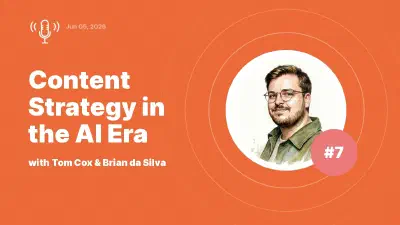
Content Strategy in the AI Era: Expert Insights with Tom Cox and Brian da Silva
Tom Cox of Semrush Academy and Brian da Silva of Attio go behind the scenes on the tools, workflows, and friction of content and social in the AI era -- and why the bar for quality has never been higher.

Why AI Needs Human Context Before It Writes a Word
Tom Cox and Brian da Silva agree on the one thing AI cannot speed up: the unglamorous work of pulling context out of product teams, sales calls, and people's heads.
Winning in AI Search Means One Message Across Every Channel
Tom Cox on the AI operating system, why SEO foundations still win, and how a brand cited differently by Perplexity, ChatGPT, and Claude has an alignment problem, not a tactics problem.